Using the CXL Loss view
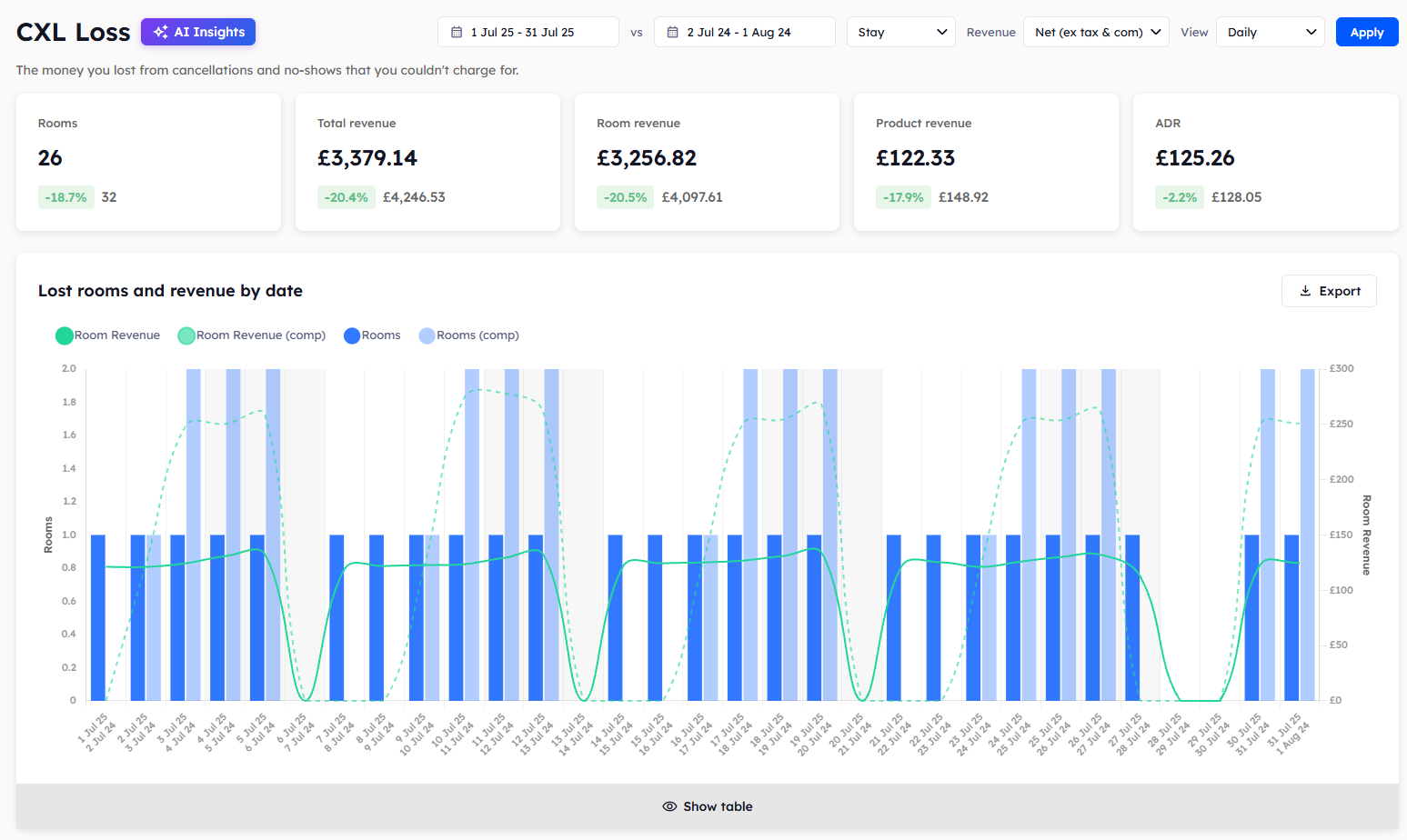
The CXL Loss page shows the money you lost from cancellations that you couldn't charge for. CXL is short for cancellation.
Anything you couldn't bill for a cancelled booking counts as CXL Loss. Anything you were able to bill counts as CXL Income. See Using the CXL Income view.
The summary cards
Five cards at the top of the page show what was lost in your chosen dates.
Rooms: the number of room nights lost.
Total revenue: room revenue and product revenue added together.
Room revenue: the room revenue those bookings would have brought in.
Product revenue: the product revenue those bookings would have brought in.
ADR: the average daily rate of the lost room nights.
Lost rooms reports
Four reports show the rooms and room revenue you lost. They are split by date, by day of the week, by requested room type, and by segment.
Use the report by segment to see which guest types cancel most. The report by day of the week only appears when the View filter is set to Daily.
Lost products reports
Four more reports show the products and product revenue you lost. They are split by date, by day of the week, by product type, and by segment.
Where else you'll see this figure
The CXL Loss card on the Overview and the Lost cards on the Sources and Segments pages show the same room nights. Those cards count room nights, not money.
To learn how to read the charts and tables, see Reading Explorer reports.
Was this helpful?
Still need help? Share an idea