The Daily Overview popup
Clicking the blue (i) icon next to any date opens the Daily Overview popup. It's a focused, single-date view that shows the rate evolution for that stay date over the last 30 days.
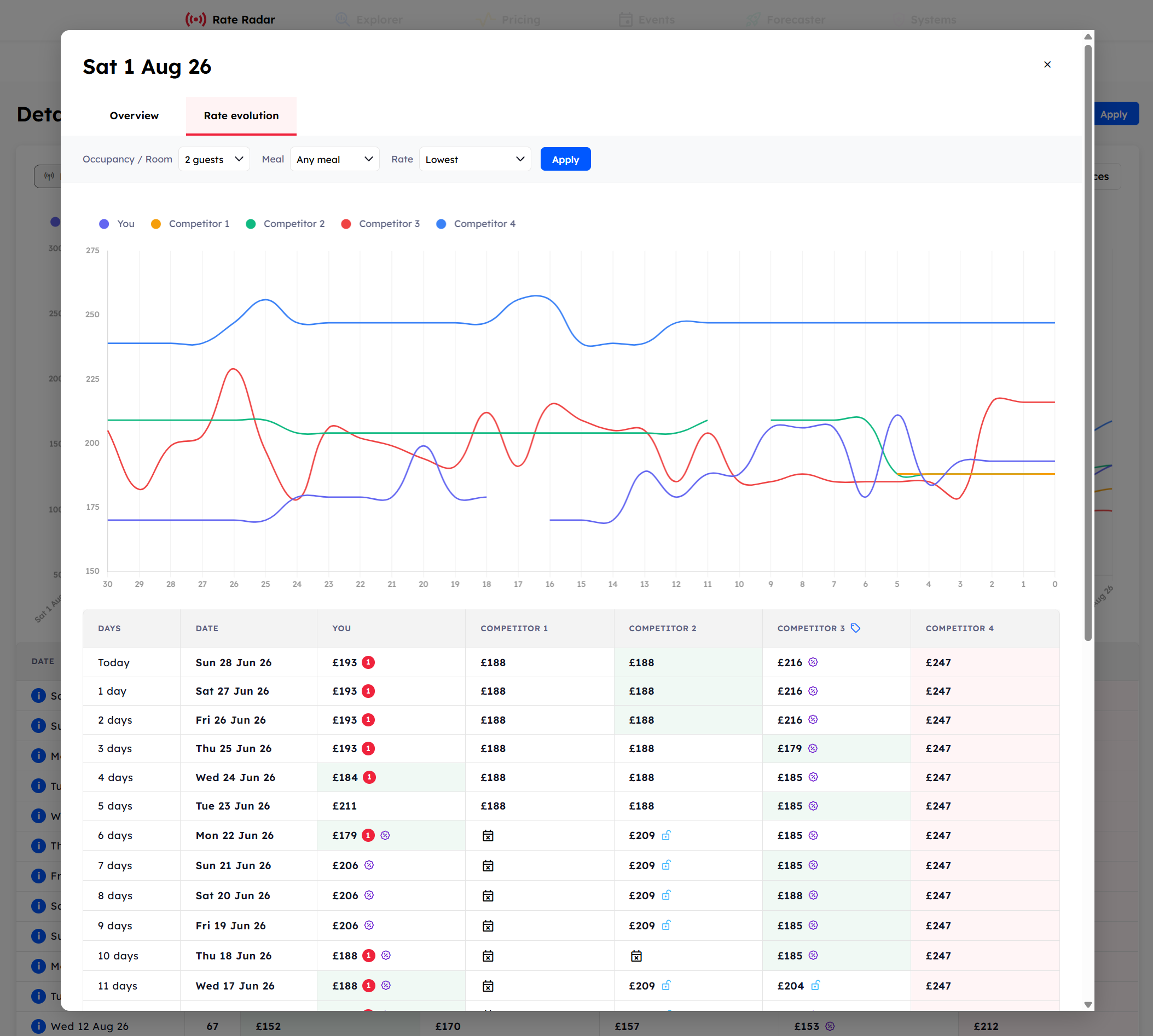
The Rate Evolution
The Rate Evolution tab shows how rates for this specific date have moved over the past few daily updates. You'll see one line per property, with each update plotted as a point. Use it to spot:
A competitor who dropped their rate over the past few days.
A property that's been steady while others moved.
The exact moment a rate change happened.
Was this helpful?
Still need help? Share an idea