Tracking performance against budget
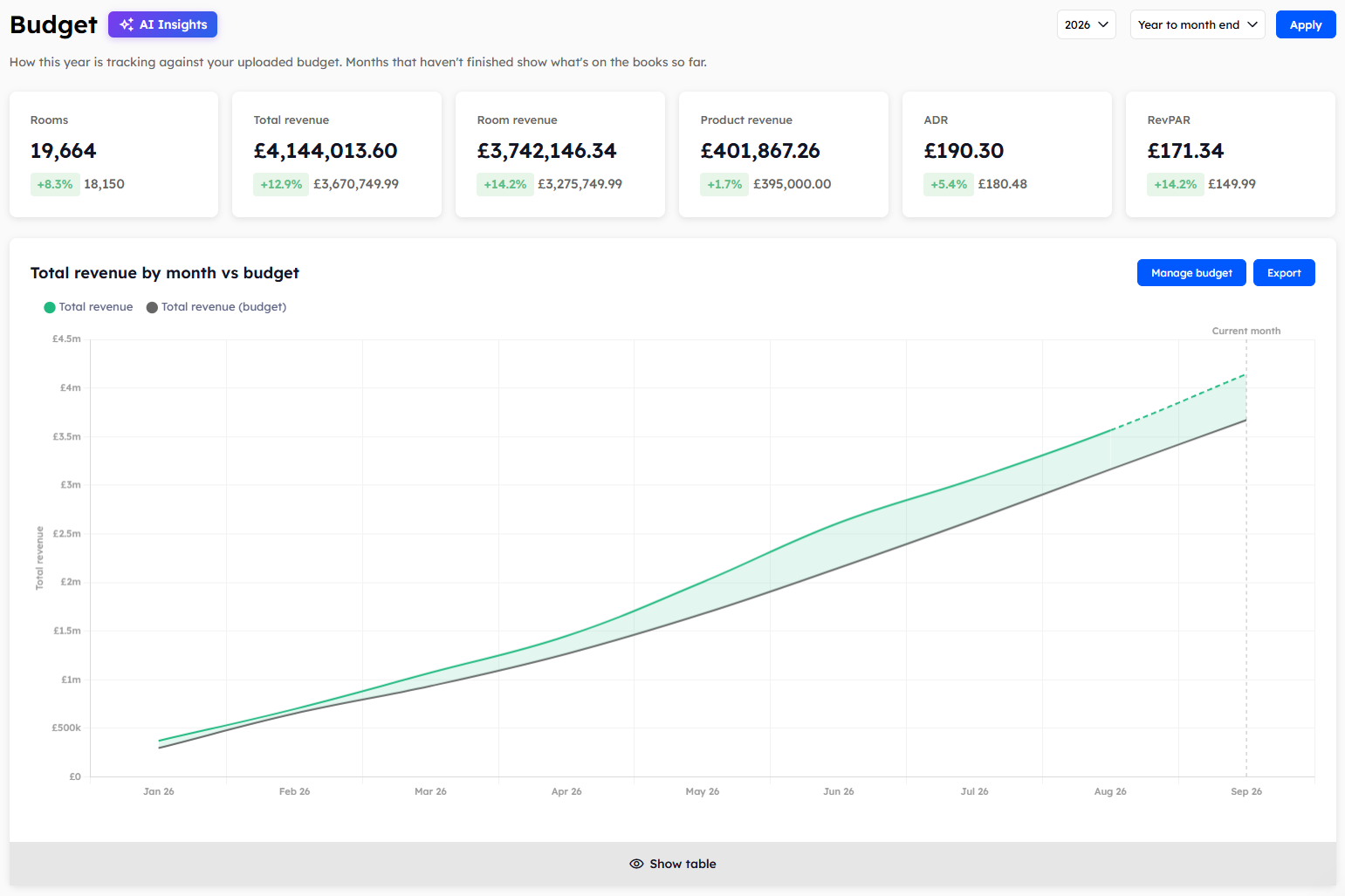
The Budget page shows how the year is tracking against the budget you've uploaded. Months that haven't finished show what's on the books so far.
All revenue on this page is shown net, with VAT taken off. The Budget page has its own filters, so the dates you've chosen on the other Explorer pages don't apply here.
Choosing the year and period
Choose the year you want to look at, then choose how much of it to show.
Full year: all twelve months.
Year to month end: January to the end of the current month.
Click Apply to update the page.
The summary cards
Six cards at the top of the page show Rooms, Total revenue, Room revenue, Product revenue, ADR (average daily rate), and RevPAR (revenue per available room). Each card shows your figure, the budget figure, and the percentage difference between them.
Total revenue by month vs budget
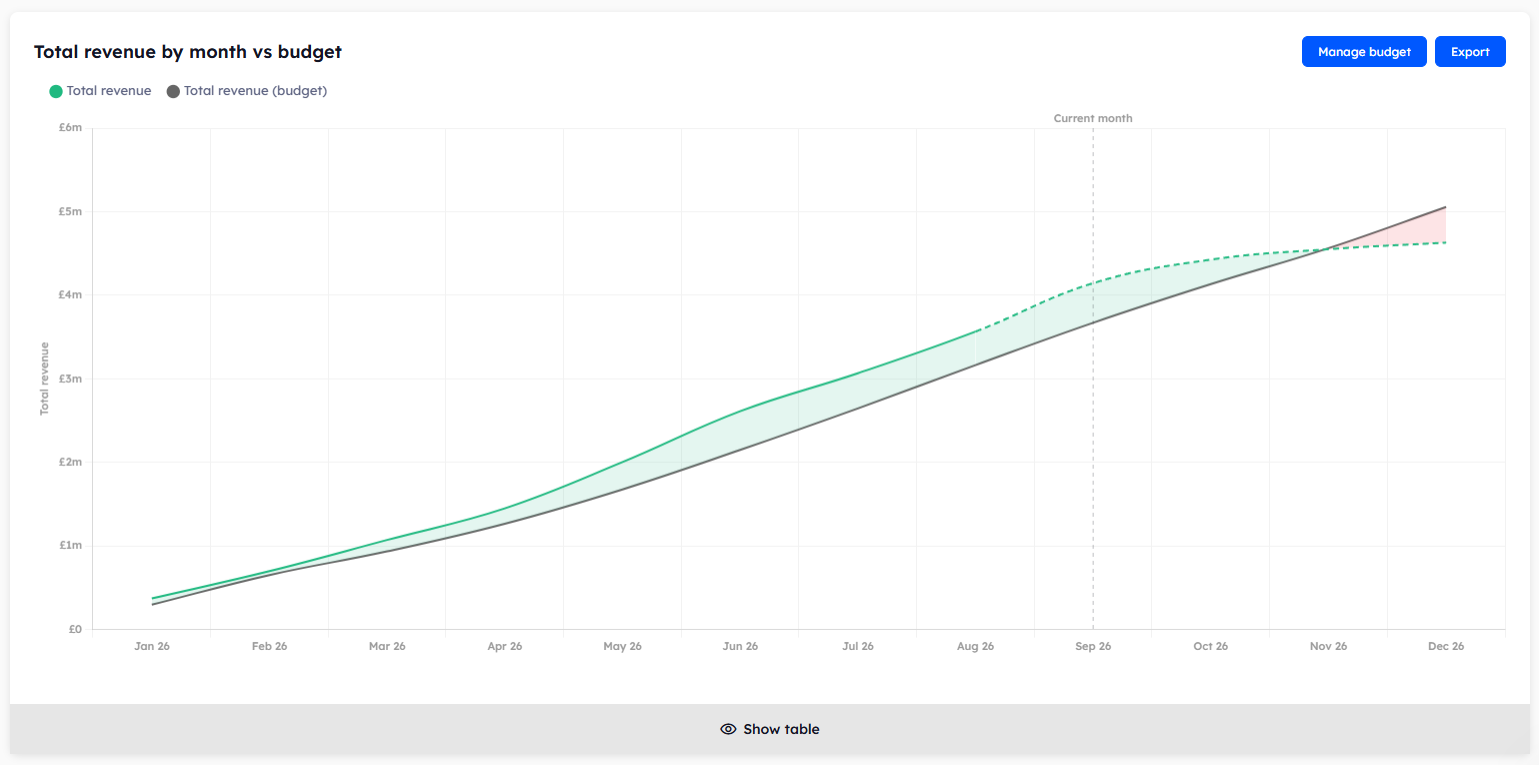
This report is a running total. Each month's figure includes all the months before it, so the last row shows the year so far.
The chart has one line for your revenue and one for your budget. The gap between them is shaded green where you're ahead and red where you're behind. A marker shows the current month. From there on your revenue line is dashed, because those months are still on the books.
The monthly reports
Four more reports show each month on its own. They cover rooms and revenue by month, rooms and revenue by segment, products and revenue by month, and products and revenue by segment.
A dash in place of a budget figure means no budget was uploaded for that line. You can ignore the percentage shown beside a dash.
Months that haven't finished
The current month and any future months are tagged On the books. They show the bookings you have so far, compared with the budget for the whole month. A future month will therefore look well behind budget until more bookings come in.
If you haven't uploaded a budget
The page shows your figures with nothing to compare them with. Click Manage budget on any report to add one. See Uploading your budget.
Was this helpful?
Still need help? Share an idea