Checking a single date with the daily overview
The daily overview shows everything about one date in a single window. Open it from any date in Explorer when you want to know what happened on that day.
Opening the daily overview
Click the info icon next to a date. You'll find it in two places:
In any table by date, when the View filter is set to Daily.
Next to the dates on the today and yesterday cards of the Daily briefing.
The summary cards
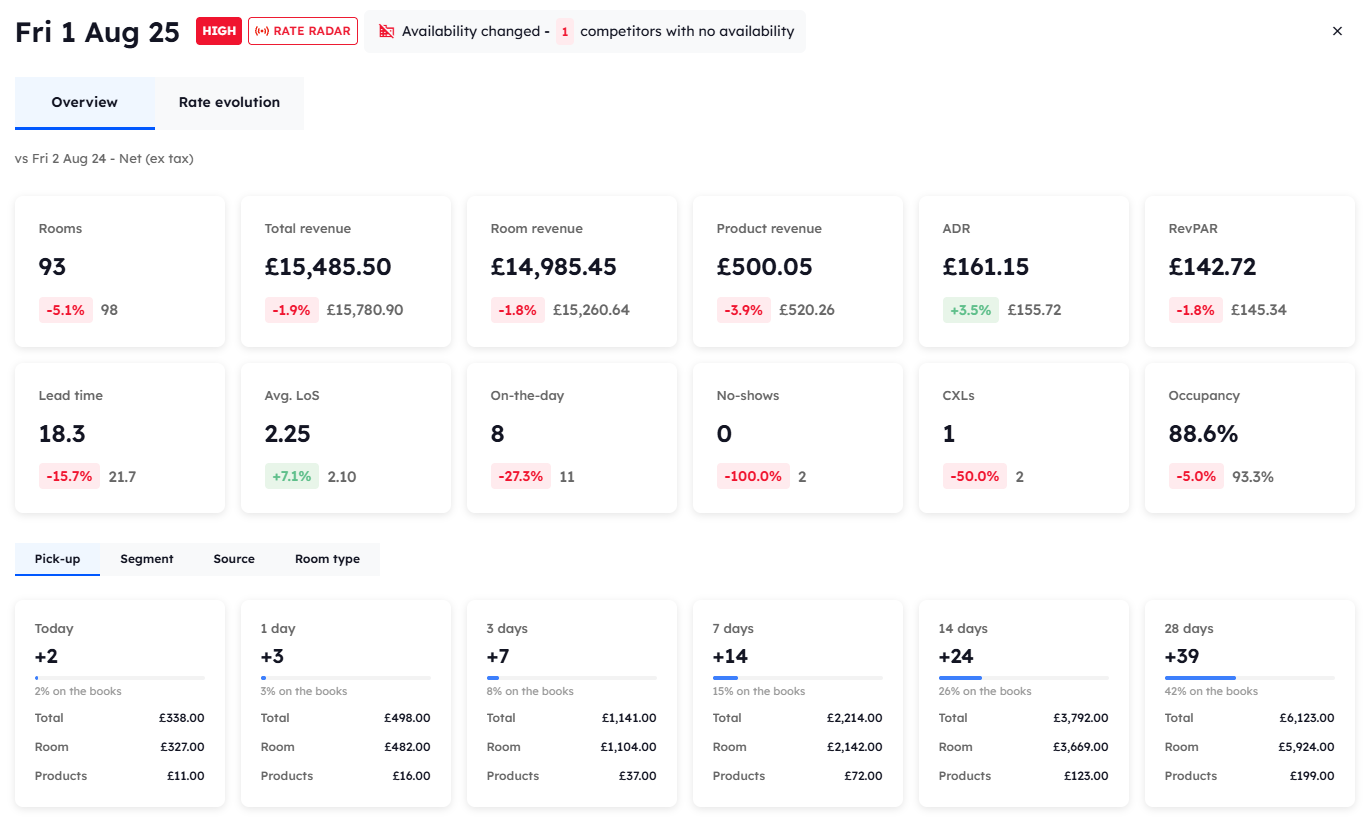
Twelve cards show the figures for the date. They are the same figures as the cards on the Overview, except that OTDs is the number of on-the-day bookings for that date, not an average.
Each card compares the date with the same day of the week last year.
Revenue in the daily overview is always shown net, with VAT taken off. It doesn't follow the Revenue filter on the page behind it, so the figures may differ from that page if you've set a different revenue view.
Segment, Source, and Room type
Three tabs under the cards split the date's business in different ways. For a future date, a fourth tab, Pick-up, shows how bookings for that date have built up over recent days.
Pick-up: shown only on future dates, the number of room nights and revenue booked today and over the last 28 days, broken down into 1 day, 3 days, 7 days and 14 days.
Segment: the ADR (average daily rate) and rooms for each segment group, shown against the ADR for the whole property.
Source: your biggest sources by room revenue, and how the revenue is split between direct and third-party.
Room type: the ADR and rooms for each room type, shown against the ADR for the whole property.
The Segment, Source, and Room type tabs each have a table underneath with rooms, ADR, room revenue, product revenue, and total revenue.
Rate evolution
The Rate evolution tab at the top of the window shows how your price and your competitors' prices changed in the days leading up to the date. See The Daily Overview popup in the Rate Radar guides.
Was this helpful?
Still need help? Share an idea